Application Status in AdminUI
Introduction
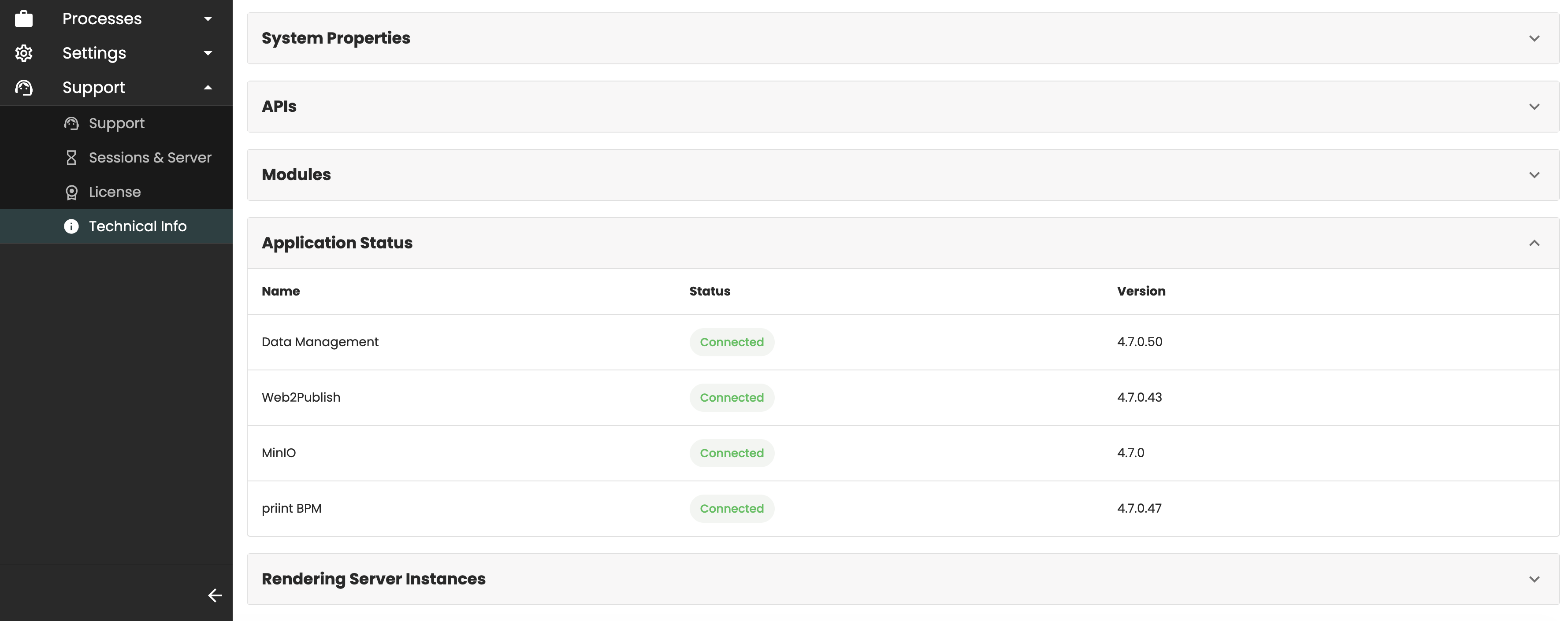
The Support → Technical Info page in the AdminUI includes an Application Status section that displays the status of the applications connected to the PubServer.
This section allows administrators to monitor the availability and version information of the connected applications. This document explains which applications are supported and how to configure them so that they are displayed correctly.
Supported Applications
The Application Status section currently supports the following applications.
Data Management
The Data Management service plugin is included in the PubServer core package. Therefore, the application is always listed in the Application Status section.
To install and configure the Data Management application, follow the installation guide for your operating system:
If you do not use the Data Management application, you can simply ignore this entry.
For more information about the Data Management application, including its concepts, use cases, and configuration, see Data Management.
Web2Publish
Unlike Data Management, Web2Publish is not included in the PubServer core package. If you want to use Web2Publish with your PubServer installation, follow the installation guide below:
After the installation has been completed successfully, the Web2Publish application is automatically displayed in the Application Status section.
For more information about the Web2Publish application, including its concepts, use cases, and configuration, see Web2Publish.
Object Storage
PubServer supports integration with an Object Storage application for storing publication resources, such as documents, document templates, and media assets. The status of the configured Object Storage is also displayed in the Application Status section.
To ensure that the application information is displayed correctly, verify that the Object Storage configuration is complete, especially the objectStorageSystem and version properties, which are used to display the application name and version.
For detailed configuration instructions, see Object Storage Integration.
Priint BPM
Priint BPM integrates a BPMN workflow engine with the PubServer to support workflow execution.
To install and configure Priint BPM, follow the installation guide for your operating system:
After the installation is complete, the status and version information of Priint BPM are displayed in the Application Status section.