Web2Publish - Patch 10 - Change Log
This tenth patch, released on 16 Jul 2026, introduces grouped and filtered media asset selection in the Customization step and includes several bug fixes.
Build Name on FTP: web2publish_4.7.0.12.zip
Highlight features
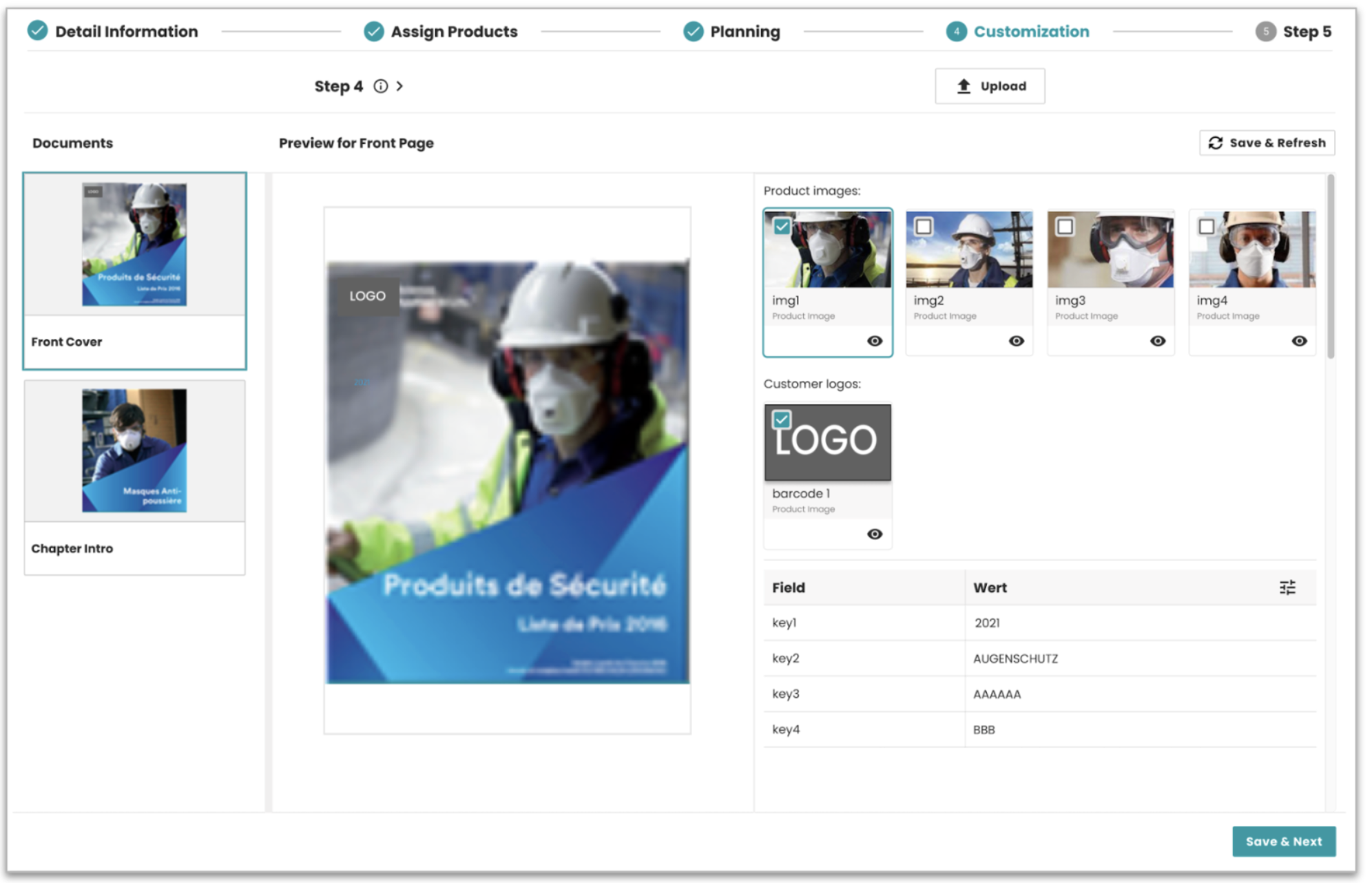
ADMIN-3746 | Customization step: group by entity and filter by customer ID
Added two new behaviors to the media asset panel in the Customization step. Images can now be grouped by entity type, with each group showing its own label. Images can also be filtered by customer ID before being displayed, so users only see assets that match the current publication. Both behaviors are opt-in and require configuration to take effect. Without configuration, the step works exactly as before.
Result: Users see a cleaner, more relevant image list when working in the Customization step, without having to scroll through unrelated assets.
For detailed information about configuring the new supported features, see the Customization Step documentation.
Bug fixes
| Ticket | Summary | Release Note |
|---|---|---|
| ADMIN-3864 | Cannot set current application in W2P | Fixed an issue where setting the current application in W2P failed without a clear error. Result: The current application can now be set correctly. |
| ADMIN-3859 | Drag and drop divider too thin in Product Assignment step | Fixed a UI issue where the bottom drop zone divider between panels was only 1px high, making it hard to target during drag and drop. Result: The divider is now 4px high and easier to use. |
| ADMIN-3926 | Field label missing in Assign Products and Process step forms | Fixed an issue where form field labels appeared empty when translations were not available. The form now falls back to the global label instead. Result: Field labels always show correctly in both the Assign Products step and the Process step dynamic form. |
| ADMIN-3901 | Product images not showing in Assign Products wizard | Fixed an issue where the Image column in the Assign Products wizard was completely empty and no product thumbnails were displayed. Result: Product images now load and display correctly in the wizard. |
| ADMIN-3864 | Cannot set current application in W2P | Fixed an issue where the app switcher always returned currentApp: false for the W2P application, even when the user was actively using it.Result: The current application is now correctly marked as active in the app switcher. |
System compatibility
| Dependency | Min version | Max version |
|---|---|---|
| PubServer | 4.7.0.1143 | 4.7.0.1143 |
Where to start with Web2Publish
Along with this release, we reworked two documentation pages to answer a question we heard often: how do I actually get started with this application? If you are new to Web2Publish, or setting it up for the first time, read these two first.
Overview explains what Web2Publish is from the user's point of view: a wizard that guides a publication step by step, from entering data and assigning products to the final rendering. It also introduces the core concepts behind it, like Publication Types, template publications, and how priint:bpm processes drive each step.
Setting up the Publication shows what happens in the background and how to prepare it: the metadata W2P requires, creating the template publication in priint:planner, assigning templates and documents, and adjusting the configuration to match your project.
In short: the Overview tells you what the application does and why, the setup guide tells you how to make it run in your project.